
Records and portal together
Student records and the family portal run on the same platform; attendance and finance are add-ons an institution switches on when it needs them.
School management system
Run your daily work — enrolment, attendance, instalment tracking, the family portal — from a single platform.
Nothing to install. Your institution runs on its own address: yourschool.edunison.com

Why Edunison
Most of a school office's time goes into moving information from one place to another. Edunison removes the moving.
Student records and the family portal run on the same platform; attendance and finance are add-ons an institution switches on when it needs them.
On supported devices and browsers, the guardian and student portal can be added to the home screen for quick access.
Permissions are defined per role — and per person where needed — and enforced on the server, not by hiding menus. Nobody opens a record their permission does not reach, not even by typing the address.
For operations covered by the audit record — such as payments, fee assignments, contracts and per-person permissions — who acted and when can be reviewed later. Student and guardian records are archived rather than deleted.
Each user picks their own language; dates, money and number formats follow.
From the product
The images below are not design mockups; they are captured from our live demo school. You can open every one of these screens yourself with the accounts on the /demo page.
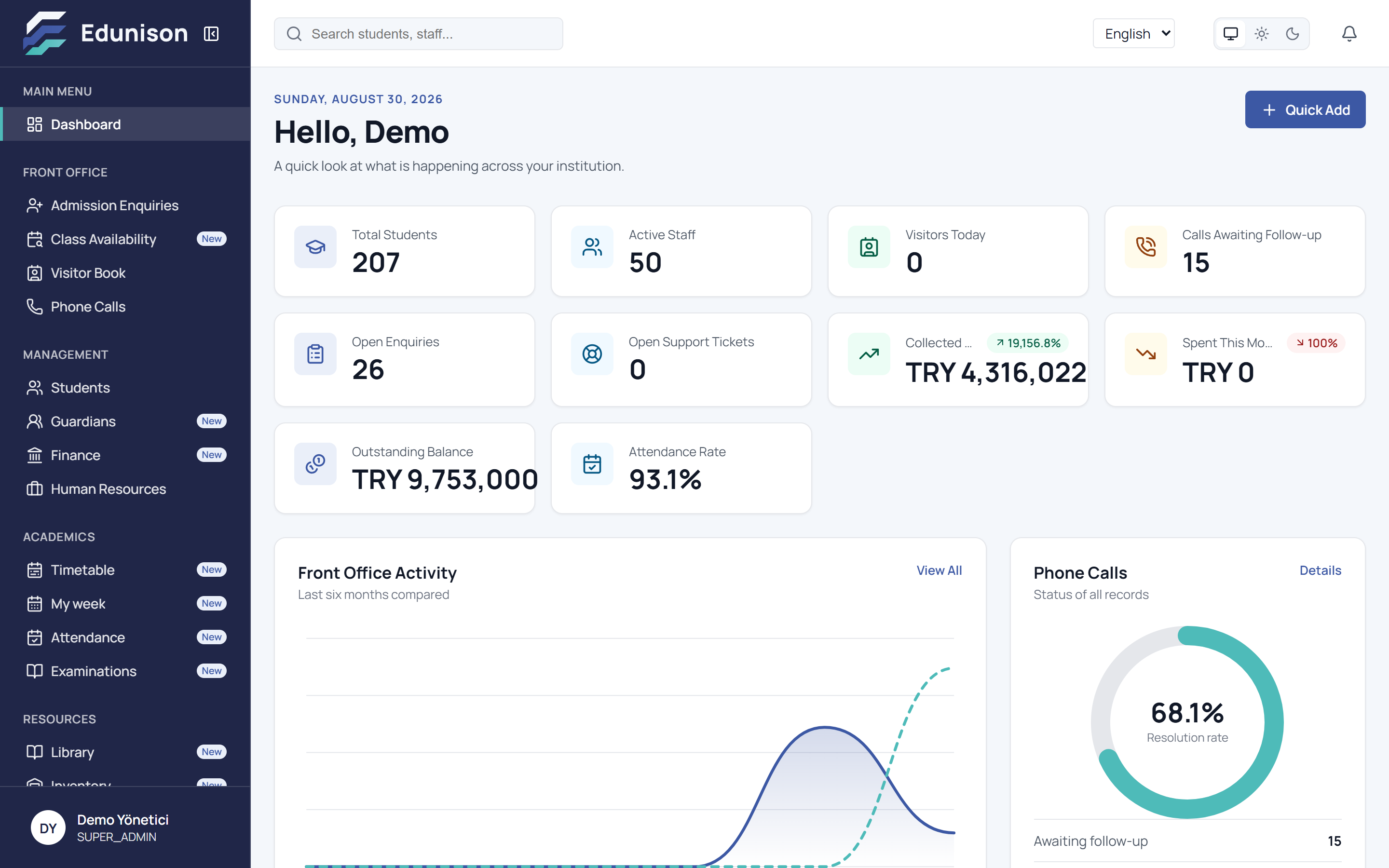
The manager dashboard answers the morning questions on one screen: today's collections, open receivables, the attendance rate, pending call-backs and front-office traffic. No number is decoration — every card is the sum of the real records beneath it.
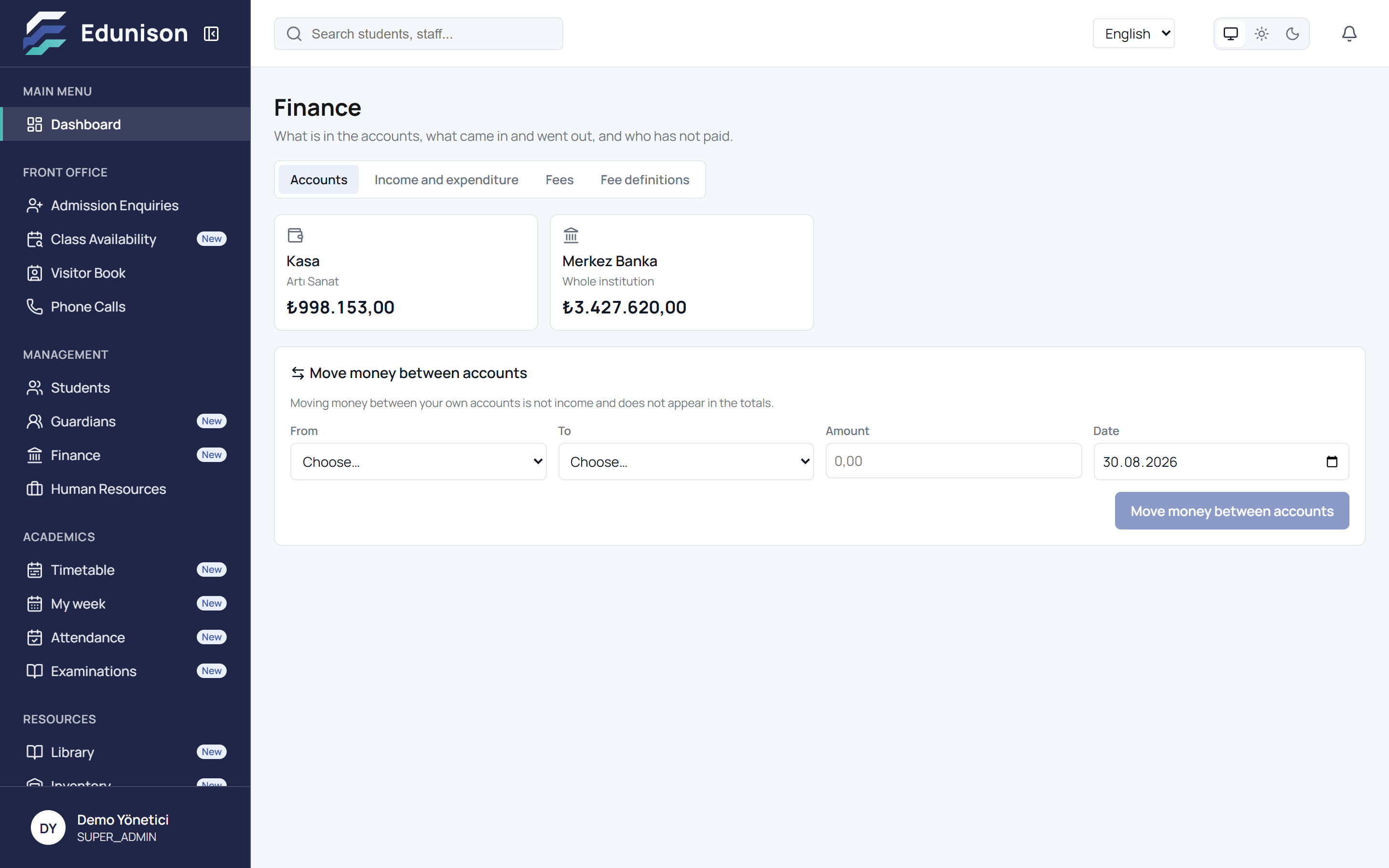
Each student's fee, instalment plan and collections in one place. An overdue instalment shows itself; every payment into cash or bank is recorded with who took it and when.
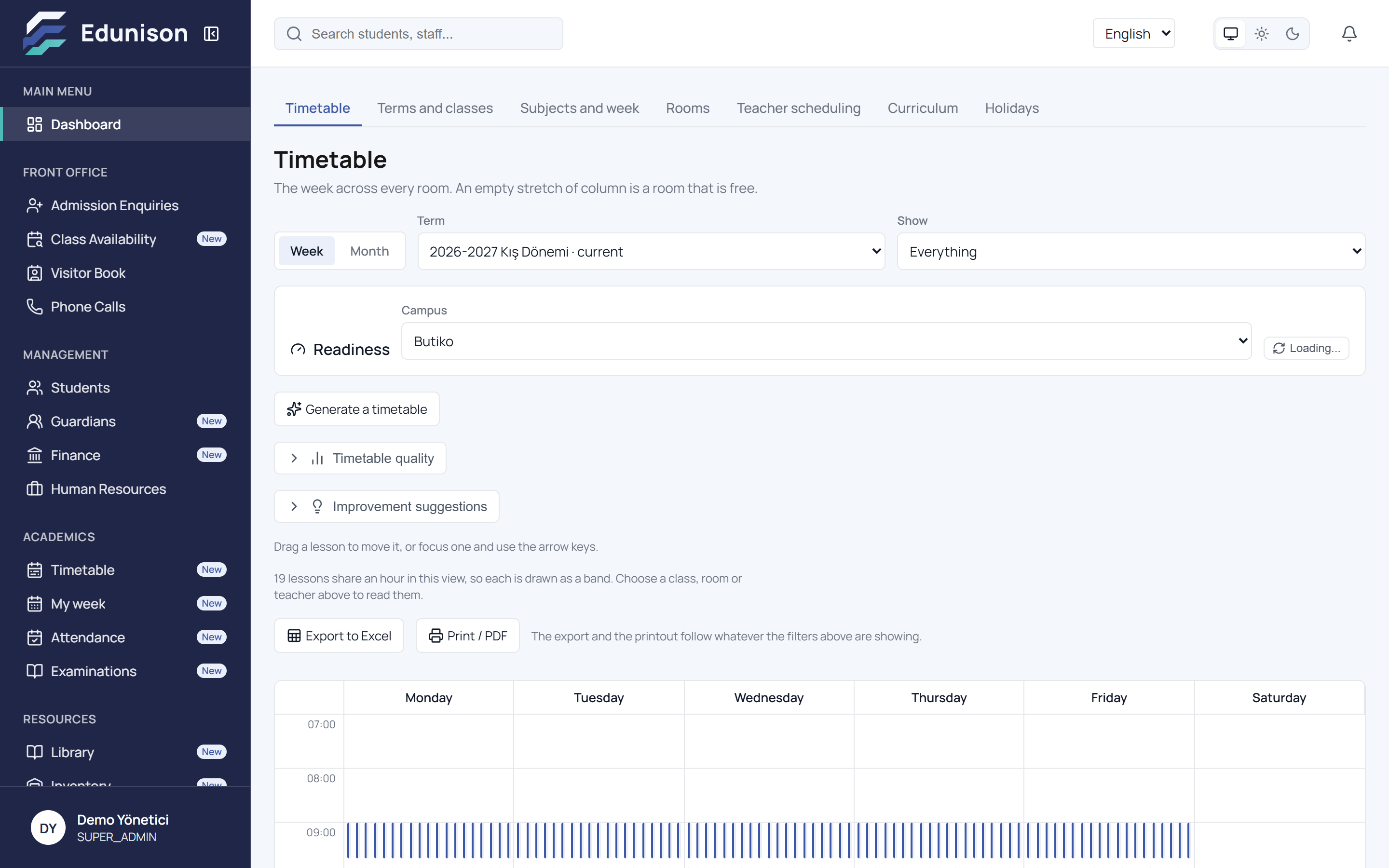
Scheduling here is not a drag-and-drop table but a tool that knows the rules: teacher availability, classroom occupancy and the class's own programme are checked at once — a clashing lesson is stopped before it is ever saved.
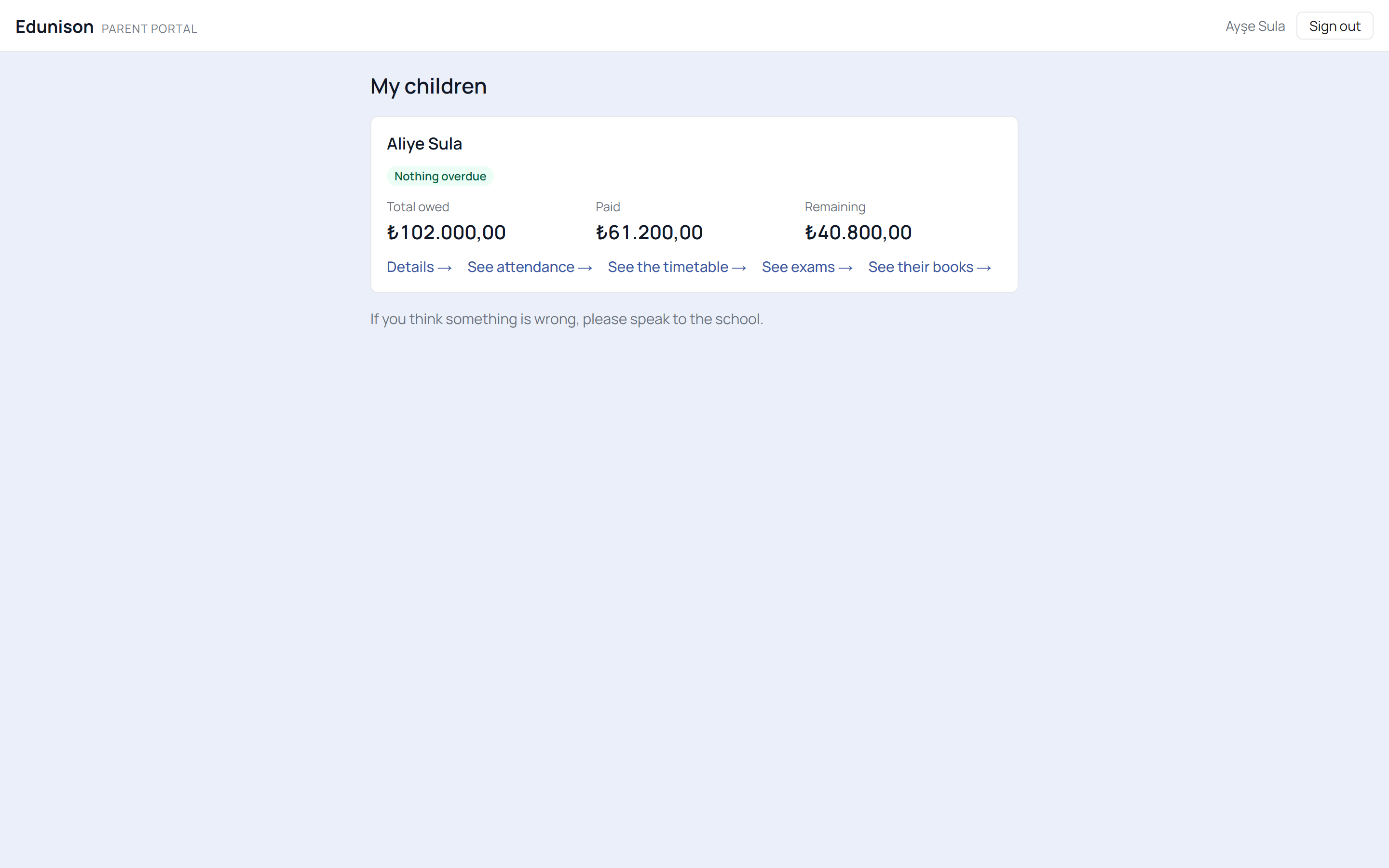
The family portal keeps the child's balance, instalment calendar, attendance, timetable and exam results ready. The "how much did I owe?" phone calls end; parents who wish can pay online by card.
Modules
Your institution switches on the modules it needs and keeps the rest off. A module that is off leaves the menu, and its protected pages do not open from a typed address either.
Enrolment, profiles, sibling and household links, a document archive, status tracking. Lists narrow by branch and by permission.
View the detail →Admission enquiries, phone calls, the visitor book. Pre-registrations from your own website land in the same list; no request goes missing.
View the detail →Teacher and administrative records, role assignments and availability. The timetable flags an hour outside a teacher's availability.
View the detail →Fee definitions, instalment plans, partial payment, collection records. This month’s collections, expenses and outstanding balance on one dashboard.
View the detail →Families pay instalments from the portal through your institution’s own merchant account. A payment counts only once the server has verified it.
View the detail →Your own template, wording frozen with the figures as they stood at enrolment, and the guardian’s digital acceptance. The wet-signed copy is archived on the same file.
View the detail →Subjects, rooms, the bell schedule, curriculum load and teacher availability in one place; the system refuses a clash.
View the detail →Per lesson or per day. A register nobody took never counts as an absence; families follow attendance from the portal.
View the detail →Open a sitting, take applications, record results, export to Excel. Candidates apply from your website, students from the portal; the office confirms.
View the detail →Catalogue, loans and returns on one screen. Who took which book and whose return is overdue — the list is clear every morning.
View the detail →Products, in/out movements and stocktakes. Anything below its minimum shows itself; who took what, and when, is on record.
View the detail →Guardians can view balances, instalments and payments; students can view timetables, attendance and exam applications. Finance, attendance and exams are add-ons. Access to financial information is restricted to guardian accounts. On supported devices and browsers, the portal can be added to the home screen.
View the detail →Internal requests go on record with their whole conversation; no question goes unanswered.
View the detail →Roles
Administrator
The whole institution on one screen: collections, attendance rate, outstanding balance. Which modules are on is their decision.
Teacher
Only their own classes, their own week, their own register. Nothing else ever reaches their screen.
Student
Their own timetable, their own attendance, applying to open exams. Another student’s record is never visible.
Guardian
Balance, instalments, payments, attendance and the timetable in one place; instalments are paid from the portal.
The family and student portal is live. The institution decides who sees what; a family’s finances are never shown to the student.
Security
In a multi-tenant system one question matters most: can one institution's data reach another? The answer is no, and the architecture is what makes it so.
Records that hold institution data are tied to an institution identity. Automated isolation tests check that one institution’s queries do not return another’s records; they run on change proposals and on updates to the main branch.
Your institution runs on its own Edunison subdomain. The sign-in screen knows which institution you belong to from the address.
Hiding a menu is not access control on its own; where permission checks apply, role and scope are verified on the server.
Student, guardian, admission enquiry, phone call, visitor, exam, homework, book and stock item records are archived rather than deleted.
In online payment, card data is handled only on the payment provider’s secure page; Edunison never sees or stores a card number.
Getting started
Edunison registers your institution and prepares your address. Your data is created in your own space.
Branches, staff and roles are entered by you. You decide who can see what.
Turn on the modules you need. A closed module leaves the menu, and its protected pages do not open from a typed address either.
Enrolment, attendance and messaging work the same day. When you have a question you open a support request.
TALK TO US
In a short call we listen to how your institution works and settle together which modules you need and the exact price. If you would rather not wait, try the product yourself right now: the live demo accounts are on the /demo page.
Try the live demo now →You can sign in from the address your administrator gave you, or continue from here.